EventForm review: The "Lean Stack" for 30-Person Micro-Webinars?
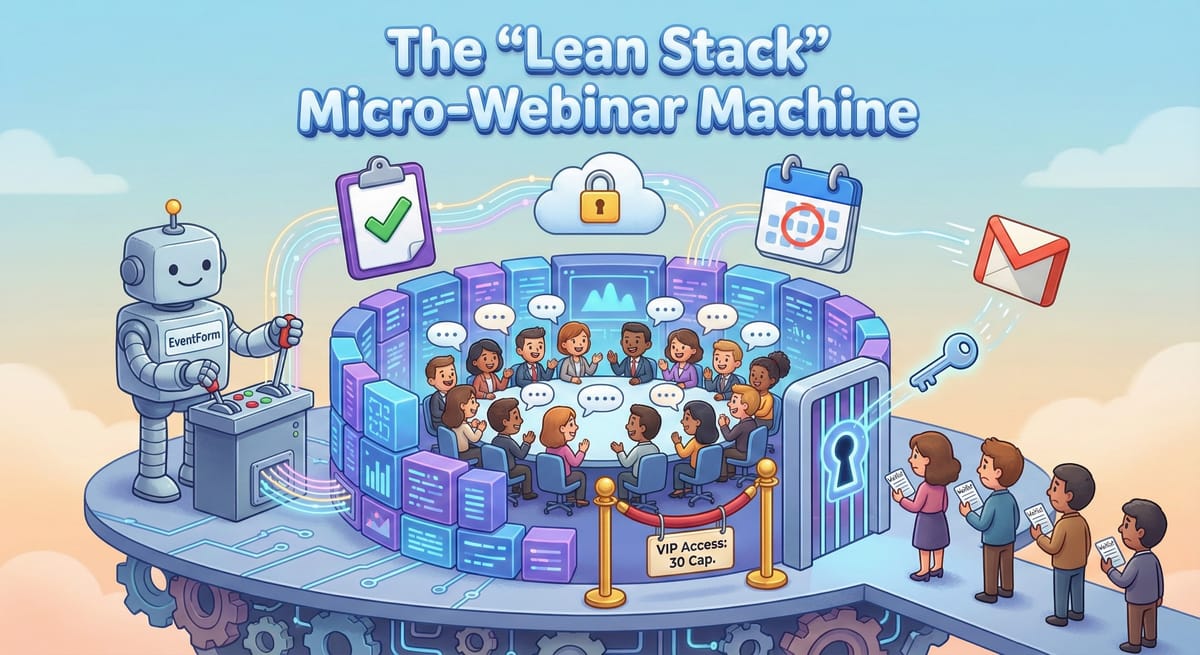
In the current landscape of digital client acquisition, the "mini webinar"—capped at 20-30 participants—has emerged as a superior alternative to mass-market broadcasts. Unlike large-scale webinars where attendees are passive observers, a 30-person session fosters dialogue, intimacy, and high-conversion relationship building. This format shifts the dynamic from "broadcasting to the many" to "consulting with the few," creating a perceived value of exclusivity critical for prospecting B2B decision-makers.
However, the operational overhead of managing invitations, waitlists, and reminders for frequent small events can be prohibitive if handled manually. To execute this at scale without the complexity of enterprise platforms like Cvent, we are exploring the idea of a "Lean Event Stack" integrating the EventForm add-on with Google Workspace.
Here is the technical configuration for deploying this architecture.
1. System Architecture & Data Governance
The stack utilizes EventForm not as a standalone platform, but as a middleware layer that transforms standard Google Forms into a robust Event Management System (EMS). This integration touches four distinct pillars of the workspace:
- Data Sovereignty & Compliance: Unlike external platforms that silo data on proprietary servers, this architecture creates an "owned" data model. All attendee records (names, emails, responses) are stored directly in your Google Drive and Sheets. This ensures full ownership and simplifies GDPR compliance, as no shadow copies exist on third-party servers.
- Infrastructure Roles:
- Google Forms: Serves as the user interface for data collection.
- Google Drive: Acts as the database for form definitions and response storage.
- Google Calendar: Functions as the engine for time-blocking and secure link distribution.
- Gmail: Operates as the dispatch server for transactional emails.
- Permissions & Trust: The add-on requires "Send email as you" permissions. While broad, this is operationally critical. It ensures invitations appear to come directly from the host’s professional email address rather than a generic no-reply@eventsoftware.com alias, significantly increasing open rates and trust among high-net-worth prospects.
2. Configuration & Logic: Engineering Scarcity
For a 30-person event, the margin for error is low. The configuration must engineer the attendance curve to ensure a full room without overbooking.
- Mandatory Form Structure: The automation logic requires strict adherence to form structure. Question 1 must be "Email Address" and Question 2 must be "Full Name." Deviating from this causes failures in calendar invite generation.
- Capacity Cap (The "Velvet Rope"): You must configure the "Maximum Attendee Count" to exactly 30 (or 35 to buffer for attrition). Once this limit is reached, the system automatically closes the registration gate. This functionality creates a psychological lever of scarcity—prospects seeing "Only 2 spots left" are more likely to commit than those perceiving infinite capacity.
- Waitlist Mechanics: Operational best practices suggest setting a waitlist buffer of approximately 15 slots (50% of capacity). This ensures a deep enough bench to backfill cancellations manually via the admin console without creating false hope for a large queue of registrants.
- Branding & Experience: To avoid the amateur aesthetic of a raw Google Form, EventForm generates a hosted "Event Website" overlay. This provides a professional landing page wrapper with custom headers and descriptions while retaining the underlying data structure of the Form.
3. Security & Access Control
A primary risk in open registration events is unauthorized access. This stack mitigates that risk through a specific "semi-automated" workflow.
- Link Generation: The host creates a placeholder event in Google Calendar to generate a unique, static Google Meet URL (e.g., meet.google.com/abc-defg-hij).
- Secure Distribution: This link is pasted into the "Online Event Instructions" field within the EventForm console. Crucially, this field is hidden from the public registration page.
- Gating: The meeting link is only revealed to attendees after they have passed the registration logic and capacity checks. It is delivered exclusively via the confirmation email and the calendar invite, effectively preventing "Meet-bombing" by ensuring the entry key is restricted to approved registrants.
4. Automated Communication Workflow
Consistency is key to reducing the high drop-off rates often associated with free webinars. The system automates the entire lifecycle:
- The Confirmation Handshake: Upon registration, attendees receive an immediate email containing the secure Meet link. This is also the strategic place to inject "Pre-work" (e.g., a PDF case study) to set expectations that this is a working session, not a passive lecture.
- Calendar Synchronization: Unlike systems that send an .ics attachment requiring user action, this integration adds the attendee directly as a guest to the Google Calendar event. This ensures the time is blocked on their schedule, which is the single highest predictor of attendance.
- The Reminder Drip: Automated nudges are sent at T-minus 7 days and T-minus 24 hours. The 24-hour reminder is critical for putting the event back at the top of the inbox and reducing no-shows.
- Post-Event Forensics: The system triggers an automated follow-up email after the session concludes. This "Golden Hour" communication includes the recording link and a feedback survey, ensuring no lead goes cold while the host is decompressing.
5. Technical Constraints & Scalability
While efficient, this "Lean Stack" operates within the hard limits of the Google ecosystem. A sophisticated operator must be aware of these edges.
- Email Quota Bottlenecks: The system utilizes your account's native email quota.
- Google Workspace: Limited to ~1,500-2,000 emails/day.
- The Math of Scaling: A single 30-person event generates approximately 120 transactional emails (Confirmation + 2 Reminders + Post-Event). While a single event is safe, running five simultaneous webinars or managing a massive waitlist can trigger daily caps, resulting in delivery failures for critical login details.
We have not tested this model yet but plan to do so soon to see how well it works. But I thought I'd document it for others in case they're interested in testing first.
Troy