Turn Gemini Gems from toys to powerhouse agents with context-stuffing mega-docs
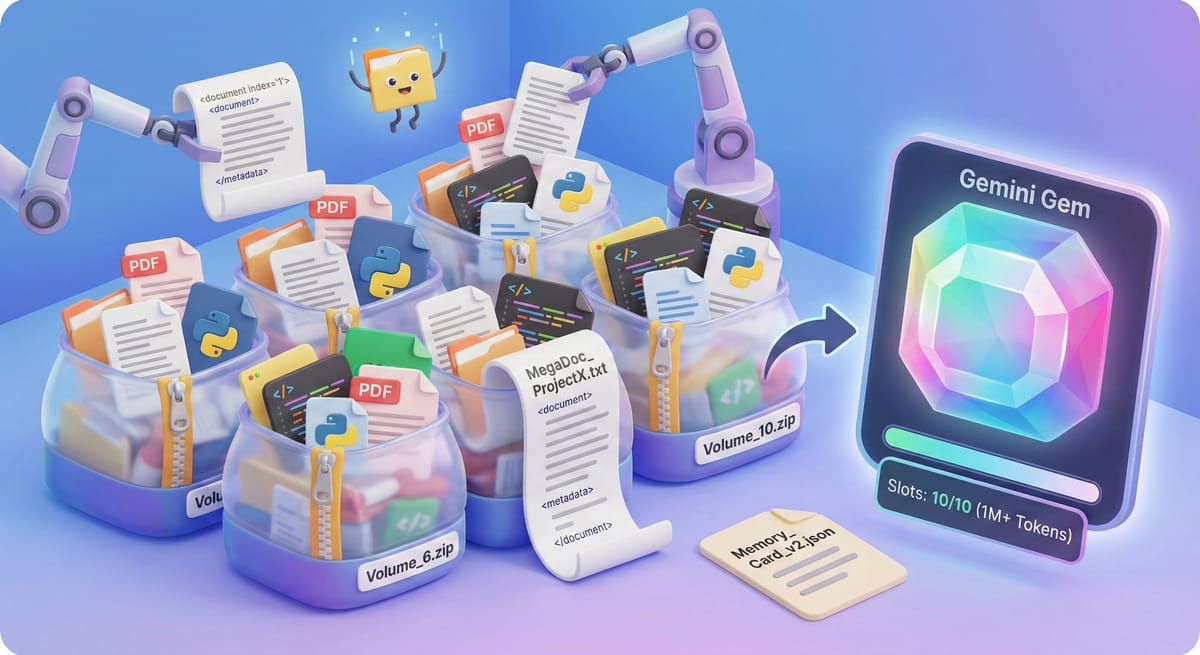
If you’ve been experimenting with Gemini Gems to build custom AI agents for your business, you’ve likely hit the "Context Window Paradox."
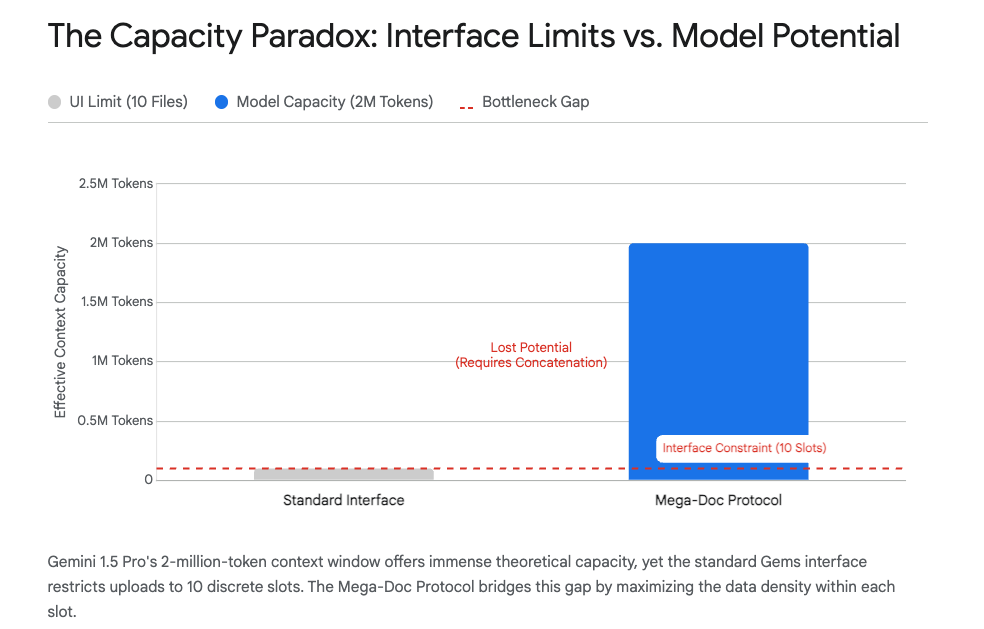
Here is the situation: Google’s new Gemini 3 Pro model has a massive cognitive engine—a context window of over 1 million tokens (and up to 2 million in specific preview builds). To put that in perspective, it can hold the equivalent of eight standard novels, 30,000 lines of code, or 700,000 words in its active working memory simultaneously.
Yet, even now , the user interface hands you a tiny "mail slot": a strict limit of 10 file uploads for your Gem's persistent knowledge.
This creates a frustrating bottleneck. You have an AI capable of analyzing your entire corporate archive, but an interface that barely lets you upload a single project folder. For the power user, this leaves about 95% of the model’s potential utility stranded behind a UI restriction.
Today, I’m sharing the protocols we use at Productive AI to bypass these limits and turn Gemini Gems into true "Knowledge Engines."
The Architecture of the Constraint
First, a shift in perspective: The model doesn't care about files; it cares about tokens.
A "file" is just a wrapper. A "token" is the currency of computation. If you upload ten 10-page PDFs, you’ve used your file limit, but you’ve barely scratched the surface of the model’s 1-million-token capacity.
The goal is to decouple the file count from the token count. Here are the three protocols to do it.
Protocol I: The "Mega-Doc" (Linearization)
When you have 50 distinct documents—say, a massive repository of SOPs or legal briefs—the interface blocks you. The solution is Linearization.
Instead of uploading 50 separate files, we use scripts to stitch them into a single, massive text stream—a "Mega-Doc."
- How it works: We strip away the file containers and combine the text into one document, using XML tags (like
<document>and<metadata>) to create clear boundaries. - The Result: The model reads it as one file (satisfying the UI limit) but distinguishes between the 50 internal documents (satisfying your data needs).
- The "Context Slicing" Defense: Recent updates to the Gemini 3 consumer web app have introduced aggressive "context slicing" to save compute—sometimes causing the model to "forget" uploaded files after 10+ turns of conversation. A Mega-Doc forces the model to treat your data as a single, indivisible block of context, preventing this data loss.
Protocol II: Archive Inception (The Zip Strategy)
If stitching text files sounds too technical, there is a simpler loophole: Compression.
Gemini’s interface counts the upload entity, not necessarily the expanded contents.
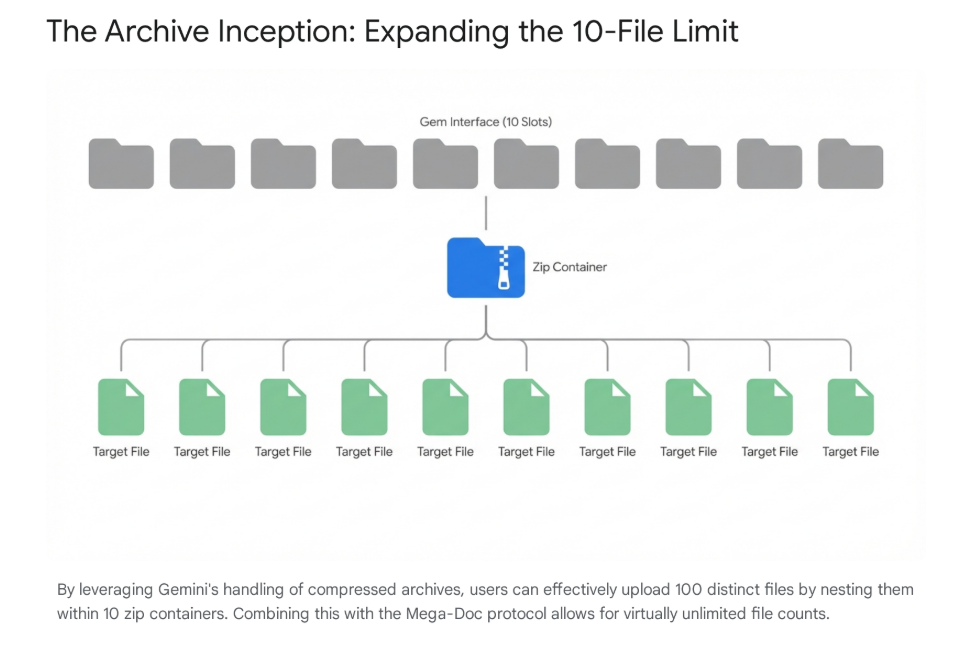
- You can upload a Zip file.
- Current testing with Gemini 3 suggests a Zip file can contain up to 10 distinct files inside it.
- The Math: If you upload 10 Zip files, and each contains 10 documents, you have effectively uploaded 100 files.
This allows you to expand your file limit by an order of magnitude (10x) without writing a single line of code.
Protocol III: The "Memory Card" (Solving Amnesia)
The final hurdle is State Management. While Gemini 3 has introduced "Deep Research" agents for web tasks, your private Gems are still "stateless"—they forget everything the moment you click "New Chat."
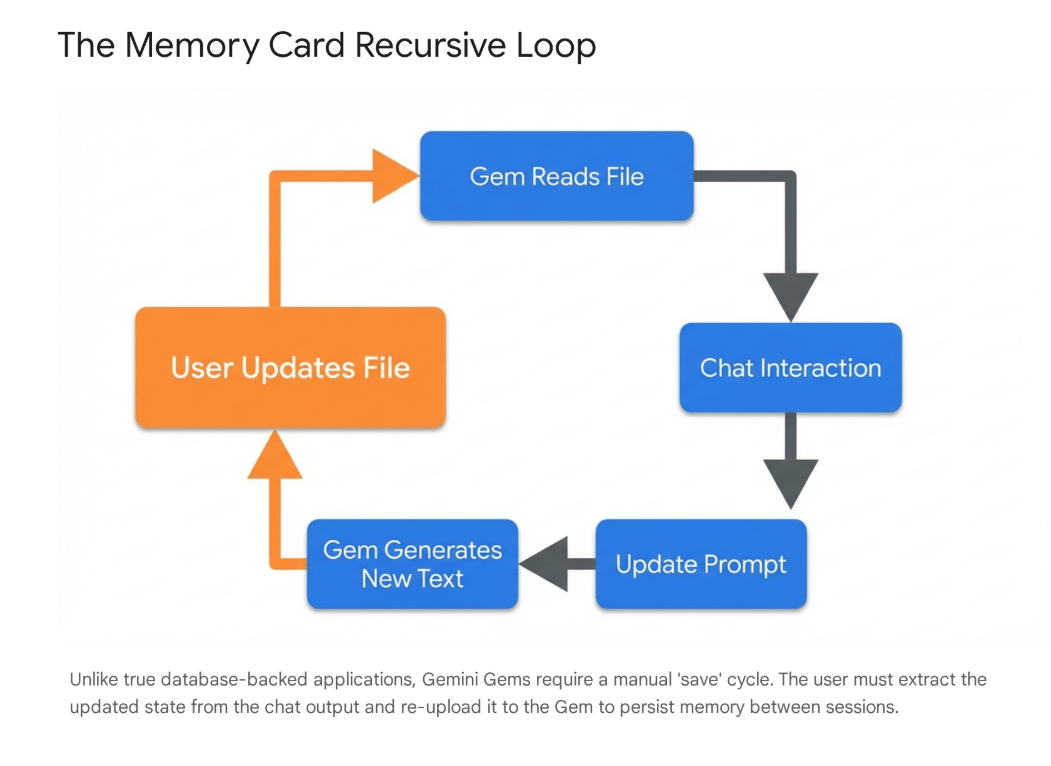
We utilize a "Memory Card" technique. This is a dedicated file (usually a text file or Google Doc) that acts as the Gem’s hard drive.
- Read: At the start of a session, the Gem reads the Memory Card to understand the project status and your preferences.
- Write: At the end of the session, you ask the Gem to update the text of the Memory Card (e.g., "Update the 'Decisions Made' section").
- Save: You save that new text for the next session.
This creates a continuous thread of learning, allowing your agent to get smarter over weeks of work rather than resetting to zero every day.
The Strategic Shift: The Death of Naive RAG
Why go through this trouble? Because "Deep Reading" is superior to Search.
Traditionally, we used RAG (Retrieval-Augmented Generation), which chops documents into tiny pieces and retrieves only a few paragraphs to answer a question. It’s like trying to understand a novel by reading random sentences from the index.
By loading your entire dataset into the context window using Mega-Docs, the model performs "Global Reasoning." With Gemini 3's advanced reasoning capabilities, it can connect a fact on Page 1 with a contradiction on Page 500—something traditional search systems struggle to do.
The limit is no longer the Gem; it is merely the file uploader. And that is a solved problem.
Quick Note on Governance
A final word of caution for my executive clients: Check your environment.
- Enterprise/Workspace: Your data is generally protected and not used for model training.
- Do not use the Consumer Gemini app (not even Google One AI Premium): Don't upload sensitive PII or trade secrets into the consumer products. The data is not protected and may be trained on.
Thanks for reading.
Troy